
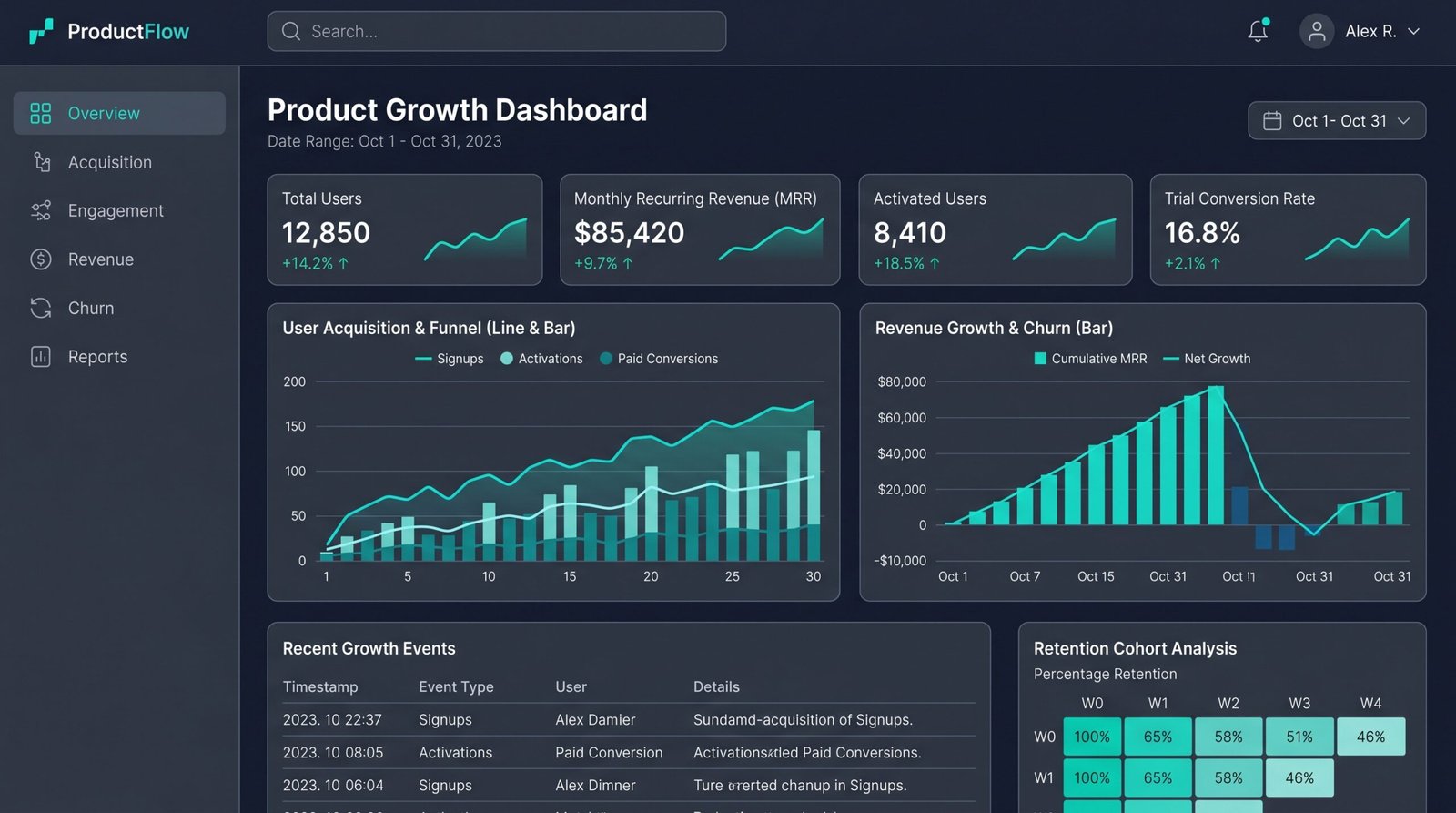
By Muhammad Talha Jutt
SaaS UX & Growth Research Analyst at AI SaaS Writer
Specialized in B2B SaaS UX architecture, onboarding optimization, and agentic workflows.
Reviewed Against:
- Nielsen Norman Group (NNg) Enterprise UX Benchmarks
- Modern B2B Product-Led Growth (PLG) Onboarding Standards
- Jobs-to-be-Done (JTBD) Task Mechanics
- Multi-Tenant Role Architecture Frameworks
SaaS product design with Uitop focuses squarely on reducing onboarding friction, shortening Time-to-Value (TTV), and driving net revenue retention through validation-first UX architectures.
Unlike generalist digital agencies that treat software like static marketing websites, a dedicated platform like Uitop prioritizes complex B2B operational workflows, multi-tenant dashboard logic, and developer-ready design tokens. By pairing deep user research with ultra-fast, clickable high-fidelity prototyping, the process builds a clear bridge between abstract product strategy and production-ready code.
Quick Summary: Traditional UI assets focus on aesthetics; progressive digital products focus on task execution. Uitop helps SaaS companies improve activation and retention by mapping interface elements to specific operational outcomes, cutting down cognitive load, and engineering scalable UI systems for B2B platforms.
Why Most SaaS Platforms Fail at the Activation Phase
Most B2B SaaS churn doesn’t happen because a user dislikes the UI color palette. It happens because the user cannot cross the “Value Chasm” within their first session. When users cannot quickly understand workflows, navigate dashboards, or reach their first successful outcome, they abandon the platform.
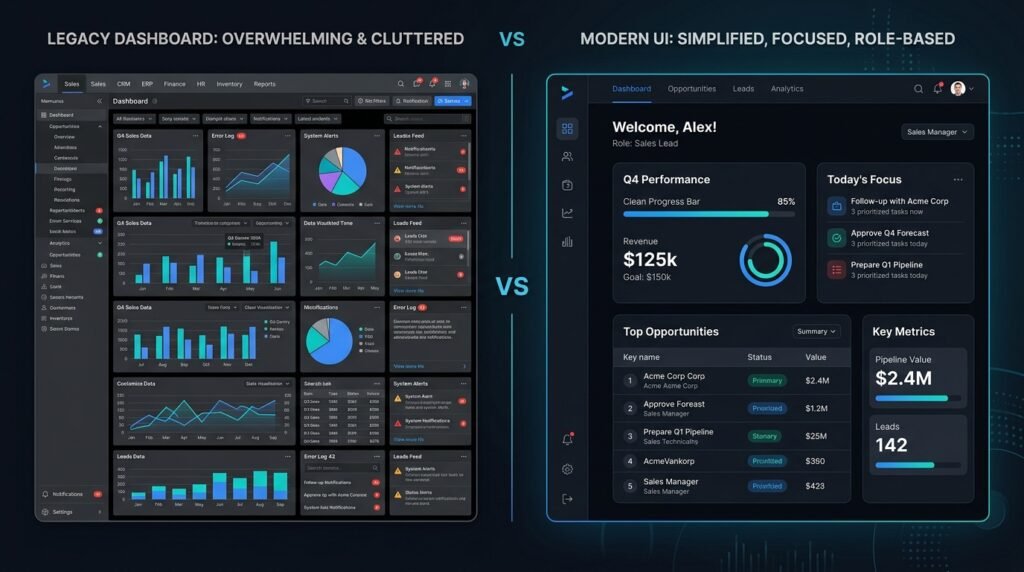
Heavy enterprise interfaces frequently stumble over common bottlenecks:
- Unmanaged Dashboard Fatigue: Flooding a new user with raw, unfiltered data rows before identifying their immediate goal.
- The Ghost Town Effect: Presenting blank slates or empty states without contextual cues, leaving users guessing what step to take next.
- Flattened Permissions Hierarchy: Exposing frontline operators to administrative setup steps, causing immediate friction and confusion.
- Inconsistent Design Systems: Fragmented visual logic that forces users to relearn navigation on different pages.
At AI SaaS Writer, our algorithmic audits show a clear shift: Google actively penalizes “Ghost Content”—generic, unverified surface articles. To rank and retain trust, your product positioning must reflect actual systemic engineering. The Uitop philosophy is simple: We don’t build software that users operate; we build software that executes.
The Strategic Blueprint: Uitop’s Validation-First Process
Building specialized software requires a design framework optimized for performance, logical data relationships, and scalability. Uitop’s methodology is rooted in the Clayton Christensen (JTBD) framework, ensuring that every pixel serves a business outcome.
1. Workflow Mapping Over Flawed Personas
Traditional demographic personas (“Marketing Manager Mary, Age 34”) tell you nothing about a user’s operational bottlenecks. Instead, the design flow must rely strictly on task progression matrices. By analyzing exact friction points, the process maps the path of least resistance from initial login to task completion.
- Discovery Deliverables: Cross-departmental UX audits, contextual workflow maps, onboarding analysis, and feature-prioritization matrices.
2. Predictive and Role-Based UX Architecture
An Enterprise Resource Planning (ERP) or logistics platform demands multiple software experiences wrapped into a single codebase. A native design architecture treats roles as independent dynamic layers. The interface structure adapts according to:
- User role and permissions
- Workflow frequency
- Operational priority
- Data visibility requirements
3. Component Systems and Developer Handoff
A layout is only as good as its execution in production. The final stage focuses on production-ready UX validation. By utilizing scalable design tokens (JSON/W3C format), components map directly into modern frontend frameworks. This mitigates visual drift and slashes engineering cycles by delivering:
- Interactive prototypes
- Scalable component systems
- Developer-ready specifications
- Frontend consistency standards
SaaS-Native Architecture vs. Generalist Agencies
When assessing how to scale a complex platform, the structural choices between a dedicated SaaS partner and an aesthetic-first agency become crystal clear.
| Operational Metric | SaaS-Native Design (e.g., Uitop) | Traditional Generalist Agencies |
| Onboarding Strategy | Optimized for user activation and TTV. | Focused heavily on visual aesthetics. |
| Design Infrastructure | Scalable, component-based architecture. | Static UI kits or unlinked screens. |
| Engineering Handoff | Token-based, code-ready specifications. | Manual asset exports. |
| Dashboard Architecture | Role-based permission workflows. | Generic grid templates. |
| Multi-Tenant UX | Natively supported and optimized. | Rarely structured for complex hierarchies. |
Future-Proofing for 2026: Agentic UI and AI Readability
The baseline requirements for software interfaces have fundamentally shifted. Your platform interface is no longer viewed solely by human eyes—it is actively scanned, parsed, and interpreted by LLM vision models and autonomous internal AI agents. SaaS product design with Uitop ensures that application layers are structured perfectly for this dual-user paradigm:

- Semantic Hierarchy Optimization: Proper H-tag structures and precise aria-labels ensure that automated customer systems or screen scrapers can map interface paths efficiently.
- Low-Latency Navigation Nodes: Architecting UI pathways that allow both human operators and automated integrations to move through multi-step forms with minimal token cost.
- Structured Data Visualizations: Designing interactive charts that support clear JSON-LD layers underneath, allowing programmatic data extraction.
Real-World Impact: Optimizing a Supply Chain Dashboard
To understand the concrete ROI of specialized B2B layout design, consider a standard vertical SaaS platform managing mid-market logistics ($12M ARR).
The Bottleneck: The platform’s legacy dispatch dashboard forced operators to spend roughly 20 minutes every morning manually setting multi-variable filters just to find “Late Shipments.” This repetitive daily friction dragged down activation.
The Uitop Intervention: Applying the Reforge growth framework, the interface was re-architected around immediate operational utility. The cluttered filtering layout was replaced with an action-focused Contextual Command Bar. Instead of a search bar, a proactive “Risk-First” notification tier was elevated right at login.
The Outcome:
- Time-to-Value (TTV): Slashed from 20 minutes down to just 45 seconds per operator.
- Customer Retention: Net Revenue Retention (NRR) increased to 112% within two quarters.
Conclusion: Your Product Architecture is Your Competitive Moat
In highly competitive software environments, baseline feature lists are easily duplicated. The sustainable competitive advantage shifts directly to user execution speed and application fluidity.
“Good enough” design is no longer a viable strategy for SaaS retention. Engaging in SaaS product design with Uitop isn’t just about making interfaces look professional; it’s about engineering a workflow that reduces friction and maximizes user success automatically. Don’t build a dashboard—build an ecosystem that your users simply cannot afford to leave.
Frequently Asked Questions (FAQ)
A comprehensive architecture overhaul generally spans 8 to 12 weeks. This includes a 2-week Discovery Phase, 4 weeks of structured UX architecting, and 2 to 4 weeks dedicated to high-fidelity prototyping and programmatic developer handoff.
Traditional dashboards are purely reactive—they sit idle until a user clicks or filters. Agentic UI is proactive; it uses behavioral data and AI context to surface the most relevant actions, workflows, or data views before the user even manually queries them.
[…] deeper product-side planning, see AI SaaS Writer’s SaaS product design guide. If your question is more specifically about interface usability and product UX, use the SaaS UX […]
[…] addition, format page text with clear HTML tags and simple heading orders. As a result, search crawlers can easily pull […]